Every paid plan comes with a monthly FragonForge AI budget in euros, so you can run the agent without bringing an API key at all. Prefer your own contract? Connect your key or a ChatGPT seat instead, and that provider bills you directly.
More repositories, seats, parallel runs, and run time than Business offers. Enterprise is not a bigger row in the table above: every limit is set per agreement, which is why there is no self-serve checkout for it. Hosting is a choice at this tier: run by us on EU infrastructure, or deployed on your own hardware by agreement. No self-hosted deployment is live today; we scope the first one together rather than promise an installer. We answer your vendor security questionnaire and walk your security team through the architecture.
Support is business hours CET, Monday to Friday: next business day for critical issues, two business days otherwise, EU-only data residency. That is a real commitment rather than a pager rotation, and we would rather write it down than imply 24/7 cover we do not staff.
Every plan runs on the same per-run shape: 4 vCPU, of which 1 is guaranteed under load and 3 are burst capacity the run gets when neighbouring runs leave it free, and 4 GB of memory reserved for the run. Hardware is not a reason to upgrade. Plans differ in concurrent runs, run length, scratch disk, repositories, seats, and run history.
A word on the concurrency number: it is the ceiling your plan admits, not hardware reserved for you. Runs share one pool of sandbox capacity, so a run the platform cannot start right away is not rejected. It parks as queued, platform at capacity and requeues itself. Read the number as your place in the queue rather than as a promised start time.
SAML single sign-on, SCIM 2.0 provisioning, and audit-log export as CSV or cursor-paged NDJSON are on every plan, including Free. There is no identity tier here: an Owner uploads the IdP metadata in the dashboard, and the export is yours to pull rather than a support request. Details on the security page.
Support below Enterprise is email without a promised response time, and no plan carries an uptime SLA today. Enterprise is the only tier with named response times, stated in its section below.
Prices in EUR, excluding VAT. You change or cancel your plan yourself in the billing portal: upgrades apply immediately and are prorated, downgrades and cancellations take effect at the end of the period you paid for. Plan limits follow our server capacity: as it grows and higher limits prove sustainable, we raise them.
The FragonForge AI budget resets at the start of each billing period and does not roll over. When it is used up, runs pause and wait for the reset instead of failing or charging you, unless an Owner turns on overrun. Runs on your own key work differently: that provider bills you, we never mark it up, and the in-app dashboard meters only the planning and indexing calls, so the provider console stays the source of truth for that path.
What you pay us for, and what you don't
There are two ways to run. FragonForge AI uses a curated set of models we operate for you, billed in euros against your plan's included budget. Or you connect your own API key for Anthropic, OpenAI, Google, OpenRouter, Mistral, Groq, DeepSeek, or any OpenAI-compatible endpoint, and that model bills you directly at its list price. Either way, the subscription pays for the part you would otherwise build yourself:
Orchestration
Webhooks, queueing, retries, the issue-to-MR loop, and the project orchestrator that turns a goal into a pipeline of issues.
Isolation
Per-run Kubernetes jobs, hardened runtimes, default-deny networking, and a credential-free sandbox. This is most of the product.
Code search
The agent searches an index instead of guessing. Structural search over symbols, callers and callees is on every plan, Free included; semantic search over an AST-aware index is the paid addition.
Collaboration
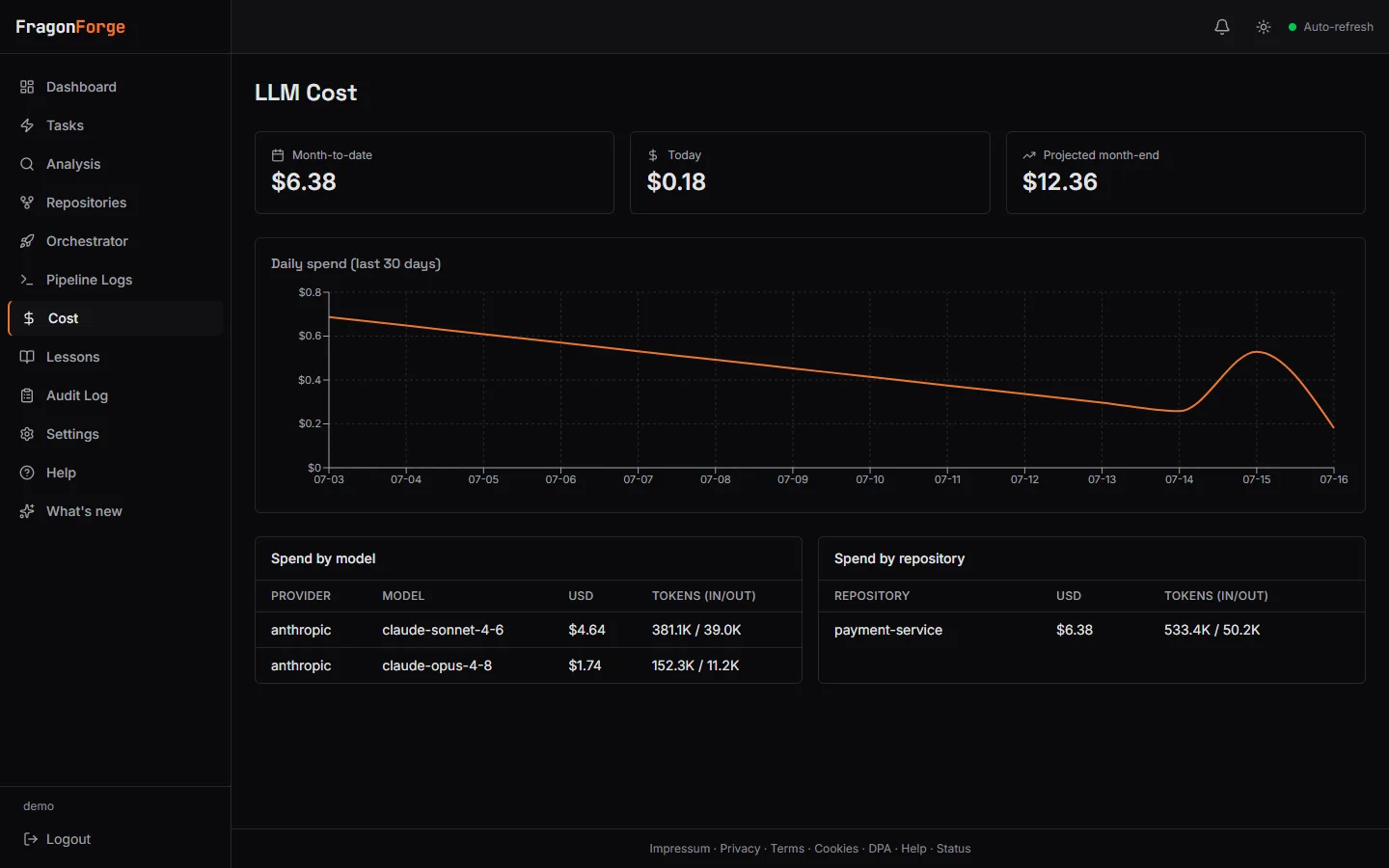
Seats, roles, review gates, run history, and a cost dashboard. FragonForge AI runs are metered there to the cent against your included budget. Runs on your own key are not: planning and indexing calls show up, the agent's in-sandbox calls appear only on your provider's bill.
Quality gate
A catalog of 34 analysis tools, a baseline-aware gate that flags only new findings, an A to F repository rating over time, and optional auto-fix merge requests.
llm costdemo workspace
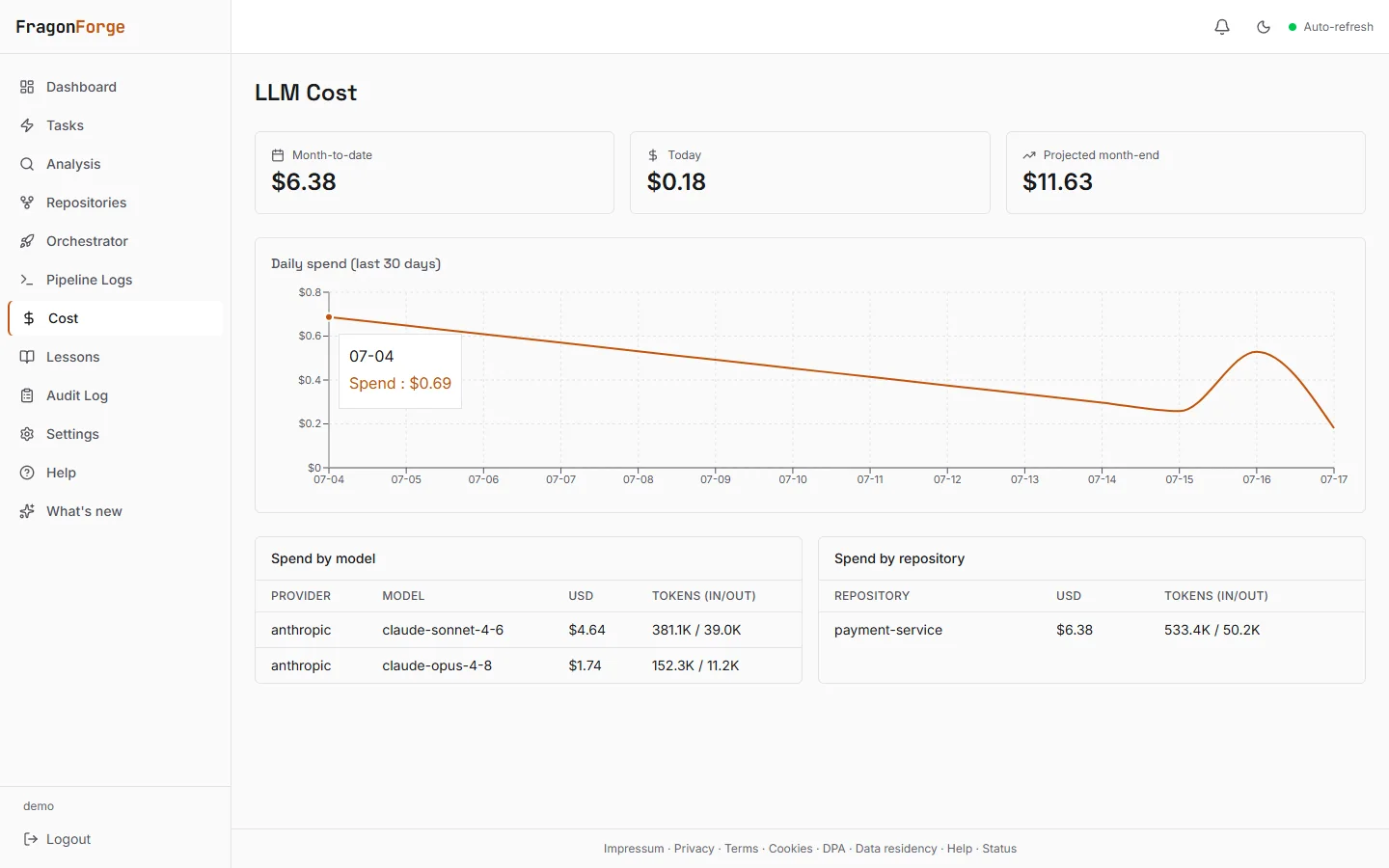
The in-app cost dashboard: planning and indexing spend by model and by repository. The agent's in-sandbox calls appear on your provider's bill, which stays the source of truth.
Can I use my ChatGPT plan instead of an API key?
Yes, for OpenAI. Connect a ChatGPT Plus, Pro, Team, or Business plan as your personal seat, and the runs you start spend that plan instead of a pay-per-token key. Authentication runs through OpenAI's own codex login: you paste the auth.json it writes, and we ask for a dedicated login so the seat keeps its own grant chain instead of fighting with your day-to-day CLI session. Anthropic and Google are not covered yet and still need an API key.
Your seat pays for
Runs you start from the dashboard
Runs you start from the API or the CLI
The model you select for that seat
The organization key still pays for
Runs triggered by a label, a webhook, or a schedule
Deep planning and codebase indexing
Runs started by a teammate without a seat
An admin can revoke a member's seat but never read it. If a seat is missing or expired, the run falls back to the organization key rather than failing.
Frequently asked questions
Runs, seats, and limits
What counts as a run?
One run is one agent execution: a labeled issue, a retriggered task, or one step of an orchestrator pipeline. Static analysis on its own does not consume runs. A run that fails early still counts, because the sandbox was provisioned; a run that never starts (for example, over quota) does not. The same answer holds for money: a run that fails, times out, or produces a merge request you throw away still spends what it spent, on the FragonForge AI budget and on your own key alike, because the model calls it made were real. Nobody can refund tokens that were already generated, so we do not pretend otherwise. A run that never starts spends nothing.
What counts as a seat?
Every user account in your FragonForge organization uses a seat, regardless of role: someone who only reviews the agent's merge requests or reads run history counts the same as someone who triggers runs. Free and Solo include 1 seat, Team 10, Business 30. The limit is enforced when a user is added or accepts an invitation, so you cannot overrun it by accident.
Will the agent bury my team in merge requests to review?
Only if you ask it to: runs happen when you label an issue, trigger one from the API or CLI, or start a scan, so the volume is yours to control. The quality gate checks changes using a catalog of 34 analysis tools, so review time goes into substance rather than lint. And review is deliberately the default gate: FragonForge merges only what you have explicitly allowed, which is nothing by default; opt-in autonomous merge covers only steps whose quality gate is green. Start with one repository and widen as your review capacity allows.
Are concurrent runs a guarantee?
The number on your plan is your maximum simultaneous run count; available capacity determines when runs start. Every run occupies real hardware in our own EU racks, shared across all customers. If capacity is unavailable, a run waits with the status 'queued, platform at capacity' and requeues itself automatically. Waiting for capacity does not fail or discard the run.
What happens when I hit the monthly limit?
On Free, runs stop. The limit is a hard stop at 100; new runs are rejected with a clear error until the month resets or you upgrade. On Solo, Team, and Business, the limit is fair use: runs beyond the quota are parked and requeued instead of rejected. Parked runs start automatically when the new month begins (quotas reset per calendar month, UTC); nothing is silently dropped, and there are no overage charges.
Will the plan limits stay this tight?
Not forever, but they are honestly gated. Every run executes in an isolated sandbox on our own EU hardware, so limits follow real server capacity, not an autoscaling abstraction. As we add capacity and can see that higher limits hold up economically, we will raise them; we would rather run a service that is still here next year than a generous one that is not. No date promised, because we do not publish dates we cannot keep.
How long can a single run take?
A run has a hard wall-clock limit that depends on the plan: 15 minutes on Free, 30 minutes on Solo, 60 minutes on Team, and 120 minutes on Business. Enterprise limits are not a fixed row; every one of them, run length included, is set per agreement. A run that hits the limit is stopped and counts like any other run.
The AI budget and token costs
What is FragonForge AI?
A curated set of models we operate for you, so a run works without you holding an API key at all. FragonForge AI is billed in euros against the monthly budget your plan includes: EUR 7.50 on Solo, EUR 25 on Team, EUR 75 on Business. The budget is an included allowance, not a second meter on the plan: what the plan sells is the run quota, and the budget is there so you can start without an API key and keep going on the models we operate. It is not sized to fund the full quota, and on your own key the quota is the only limit that binds, because those runs do not draw on the budget at all. Free has no budget and runs on your own key instead, with a ChatGPT seat covering the runs its holder starts. The budget resets at the start of each billing period and does not roll over. You see used and remaining under Settings, Billing and on the Cost page, and every run carries the euro amount it was billed. A repository's Effective Configuration states which path its runs use, so there is no surprise about what a given repo bills against.
What happens when the FragonForge AI budget runs out?
Runs pause and wait for the next reset rather than failing or charging you something you did not agree to. A paused run shows the reset time and your options: wait, upgrade for a bigger budget, or switch that repository to your own API key. If you would rather runs keep going, an Owner can turn on overrun under Settings, Billing: runs continue past the budget up to a limit you choose, and the extra usage appears as a separate euro line on your normal invoice. Overrun is off by default, can be switched off again at any time with immediate effect, and becomes available after your first completed paid billing cycle. The standard self-serve limit is EUR 20 per month; you can request a higher one in the same place, and we usually answer within two to four business days.
Do you charge for LLM tokens?
Not on your own key: your key, your provider, your bill, and we never resell tokens or mark them up. FragonForge AI is the other path, where we buy the tokens and bill them to your included budget in euros. One honest caveat about visibility on the bring-your-own-key path: the cost dashboard meters the planning and indexing calls, not the agent's own model calls inside the sandbox (those are proxied for isolation and pass through unmetered). Set a spending limit in your provider's console and treat its billing page as the source of truth there. A dedicated key just for FragonForge keeps that page easy to read. Your organization settings also carry per-stage output-token ceilings for the planner (architecture, decomposition, judge, plan), which bound that stage without touching the provider console.
Plans, billing, and support
What support do I get on Free, Solo, Team, or Business?
Email, at support@fragonstudios.com, and no promised response time. Enterprise is the only plan with a named commitment (business hours CET, next business day for critical issues, two business days otherwise), because it is the only one we staff for. We would rather write that down than let a paying customer assume a service level that is not there. Separately from support, the Terms commit to no uptime SLA on any plan today, and the status page says the same thing. Neither is where we intend to stay: a response-time commitment for the paid self-serve plans is on the roadmap as decided but undated, and an uptime number follows once we have the operating history to stand behind one.
Can I change plans without talking to anyone?
Yes, in both directions, from the billing portal. An upgrade applies immediately and is prorated for the rest of the period. A downgrade is scheduled for the period boundary, so you keep the limits you paid for until then. Invoice history lives in the same portal.
How does cancellation work?
You do it yourself in the billing portal, with no retention call and no negotiation. The cancellation takes effect at the end of the period you already paid for, so nothing is cut short. After that your plan drops to Free; if you are over the Free limits at that point (repositories or seats), existing data is kept but new runs are blocked until you are back within them.
Your forge and your data
Does it work with plain gitlab.com or github.com?
Yes, out of the box. Connect a personal or group access token and you are set. A custom API endpoint is only needed for self-managed instances.
If I downgrade, do I lose the run history I already have?
No. Every purgeable row is stamped with the retention window that was in force when it was written, so runs made on a higher tier keep that tier's retention even after you move down. Under any downgrade there is also a 30-day grace floor: re-subscribe inside it and everything comes back. Separately, a purge that looks anomalous parks for an operator to review instead of running, because deleting too little is a bug we can fix tomorrow and deleting too much is not.
Can I use my self-managed GitLab on the Free plan?
Yes. Forge support is not a paid feature. Self-managed GitLab, GitHub Enterprise, Gitea, and Forgejo endpoints work on every plan, including Free.
What happens to my data if I leave?
Take it with you first: the billing page has a self-serve account data export that gives you your organization's data as JSON, with credentials and secrets deliberately left out. Then delete the organization from the app. That purges repository metadata, run history, the code index, stored keys and tokens, and your billing link. It is a GDPR-grade deletion, not a soft delete.
Do runs use my hardware?
No. Runs execute on our infrastructure in the EU, in isolated per-run sandboxes. Your forge and your LLM provider are the only external systems a run talks to.
Can I switch the connected repository on Free?
Yes. Disconnect the repository and connect a different one; the slot is freed immediately.
Does it work with a forge that is only reachable inside our VPN?
Not today. FragonForge is a hosted service and connects to your forge's API from our infrastructure, so the instance must be reachable from outside your network. If your GitLab or GHE lives strictly inside a VPN, FragonForge cannot connect to it. The exception is Enterprise, where a deployment on your own hardware can be arranged by agreement (none is live yet, and we say so). Tell us if this is your setup; it moves the priority.